
Configuration
Tracker config and the use flow for PhoneTracker.
Where you edit
configs/config.lua:
| Key | Purpose |
|---|---|
Config.RequiredJob | Who may use the item. Map of job name → minimum grade (police = 0 allows any rank). Array form { 'police', 'sheriff' } and a single string 'police' also work. Multiple jobs are OR. |
Config.TrackerItem | Usable item (tracker) |
Config.PingCooldown | Seconds between pings per player, server-enforced. Shipped 10. 0 disables. The timer starts before lookup, so miss spam is blocked too. |
Config.Utility.Debug | Console logs. Shipped false |
| Item | |
|---|---|
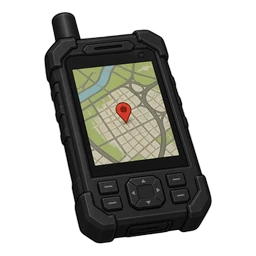 | tracker |
qb-phone / charinfo lookups: resource/open/server/phone_lookup.lua. Labels: locales/en.json (Device, Restricted, Dispatch).
Using the tracker
Use the item. Wrong job or missing item notifies and never opens the device.
The NUI is a handheld GPS overlay (not an ox_lib dialog). Digits only, max 10. Dial or Enter submits. Escape closes.
- Hit — device closes, waypoint + timed blip (sprite 161, 100 seconds).
- Miss / empty / cooldown / no item — device stays open and shows the miss line on the glass.
Installation
How to install PhoneTracker. Start this after ox_lib, your framework, your inventory, Newb_Bridge, and your phone resource.
Item setup
Items for PhoneTracker. Paste the matching snippet into your items file. The item name is tracker. The shipped PNG is tracker.png — ox_inventory loads {itemName}.png, so keep that filename.